How to download a completed document and its audit trail
Updated 7 months ago
Browse All
How to download the completed signed PDF and the audit trail PDF that records who signed, when, and from which IP address.
Prerequisites
- A DocuSeal account
- At least one completed (fully signed) submission
Steps
Find the completed submission
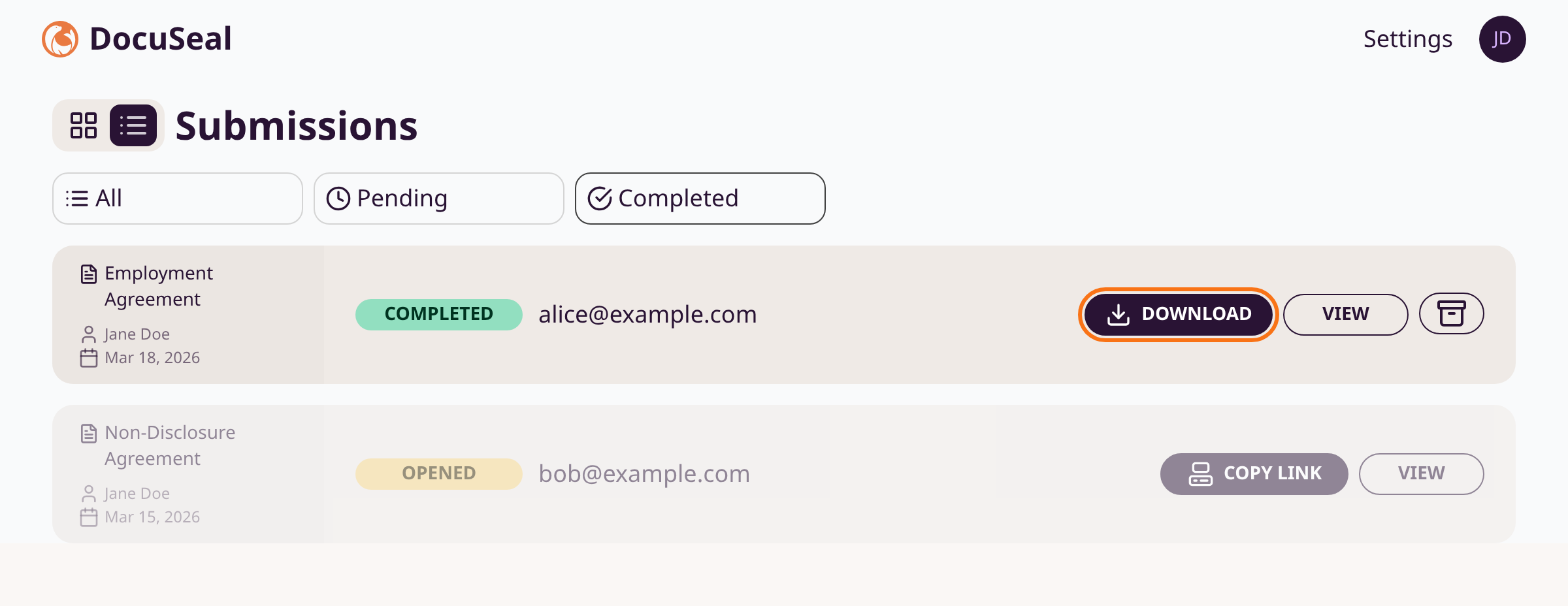
Go to the Submissions view on the dashboard. Look for submissions with a green Completed badge. Click Download directly from the row to download the signed PDF immediately.
Download from the submission detail page
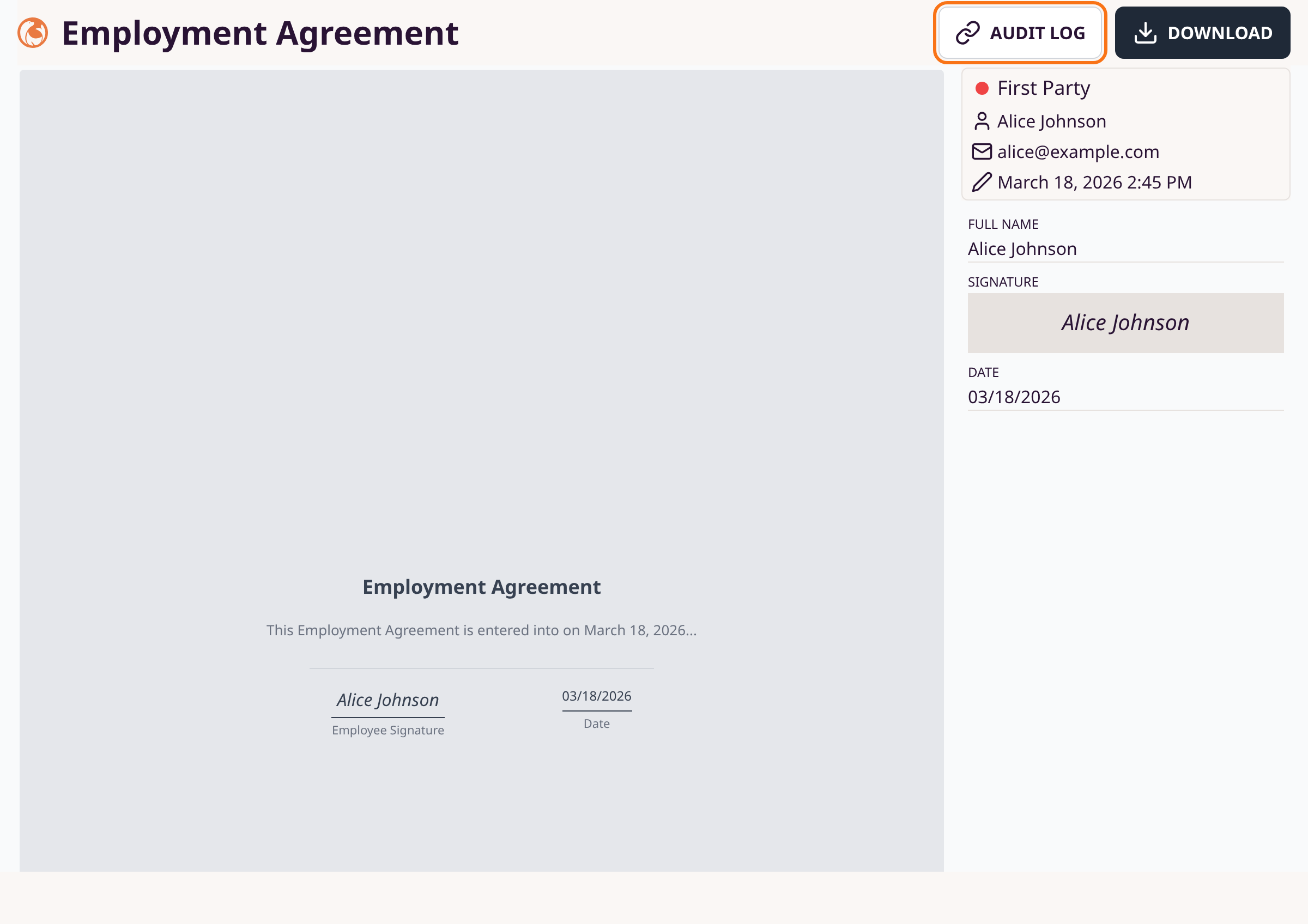
Click View on any submission row to open the detail page. Click the Download button in the top-right corner. The signed PDF files download to your device automatically.
Open the audit trail
On the submission detail page, click Audit Log (next to the Download button). The audit trail PDF opens in a new browser tab. It contains each signer's name, email, IP address, user agent, timestamps, and document checksums. Save or print it from your browser.

Download as a signer
After completing a signing form, the confirmation screen shows a Download documents button. Click it to download your signed copy. This link expires after 30 minutes.
Tips
- The audit trail PDF is digitally signed if you have configured an e-signature certificate under Settings > E-Signature.
- If your account has the combined PDF option enabled, a Download Combined PDF option appears in the dropdown next to the Download button.
- Signers also receive a copy via email if email delivery is configured for your account.
- The audit trail includes SHA-256 checksums for both the original and completed documents, providing cryptographic proof of document integrity.
Summary
Download signed PDFs from the submissions list or detail page using the Download button. Access the audit trail PDF via the Audit Log button on the submission detail page for a tamper-evident record of the signing process.
Was this article helpful?
Built with supportpages.io — SaaS documentation software.
Have a question?
Search our articles, or ask and get an answer straight away.